Galaxy A14
5G - 64GB - 4GB RAM - 1 Physical SIM - Black - Very Good - Standard Battery
NZ$181.49
NZ$181.49
Galaxy A14
5G - 64GB - 4GB RAM - 1 Physical SIM - Black - Very Good - Standard Battery
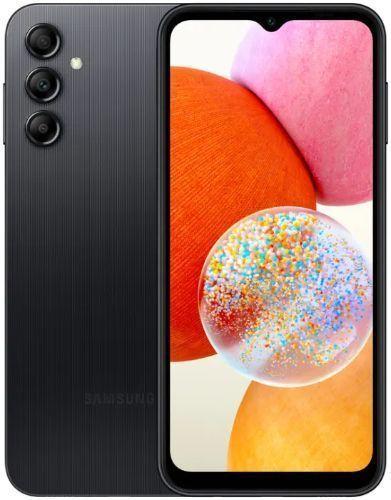
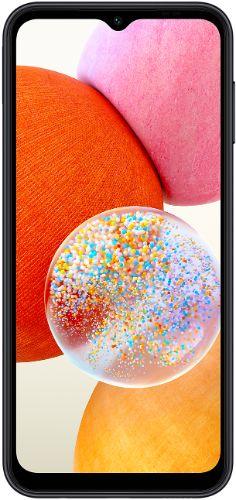
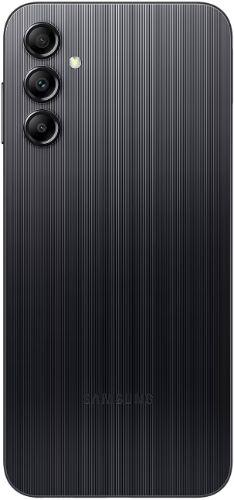


FREE Delivery Oct 20 - 21
Galaxy A14
5G - 64GB - 4GB RAM - 1 Physical SIM - Black - Very Good - Standard Battery
NZ$181.49
FREE Delivery Oct 20 - 21
Professionally restored with 40+ points of inspection
Sim Slot
Condition
Screen: Light micro-scratches (invisible when on)
Body: Light scratches
Battery: Tested for reliable daily use
Comes with:
Charging cable
Professionally refurbished and shipped by
Trade-in

Trade in your old tech today
and save big on your new purchase!
Galaxy A14
5G - 64GB - 4GB RAM - 1 Physical SIM - Black - Very Good - Standard Battery
NZ$181.49
FREE Delivery Oct 20 - 21
Product Description
Frequently Asked Questions
How can you take a screenshot on the used and unlocked Galaxy A14?
To take a screenshot on the used and unlocked Galaxy A14, press and hold the power button and volume down button. You will hear the shutter sound and
see a flash on the screen. Once taken, you will then see 3 options: Smart Capture, Crop/Draw, and Share.
Does the Samsung Galaxy A14 have wireless charging?
Being a budget phone, the Samsung Galaxy A14 does not have wireless charging...
 6.6 inches
 MediaTek MT6769 Helio G80 (12 nm)
 50 MP
50 MP Li-Po 5000 mAh
Premium Refurbished.
Trusted Quality.
4.7out of /5
based on 70,000 reviews
Trustpilot

Save up to 70%
12 Months Warranty
Quality Tested by Experts
Risk-free 30-Day Trial
Save up to 90% CO2 vs new
 English


© Reebelo New Zealand | NZBN 9429 0489 7587 2 | GST Registered
Free Shipping to New Zealand30-Day Returns in New Zealand
100% Secure Payments


